Getting the paper onto your Kindle
Amazon gives every Kindle its own email address, and only accepts files at it from senders you approve. Setup takes about five minutes.
1. Find your Send to Kindle address
On a computer or phone:
- Go to amazon.com and sign in with the account your Kindle uses.
- Open Account & Lists, then Content Library (older pages call it Manage Your Content and Devices).
- Choose the Preferences tab and open Personal Document Settings.
- Under Send-to-Kindle E-Mail Settings, each of your Kindles is listed with an address ending in @kindle.com. Copy the one for the Kindle you read on.
On the Kindle itself, the same address is under Settings, All Settings, Your Account, Send-to-Kindle Email.
2. Approve our sending address
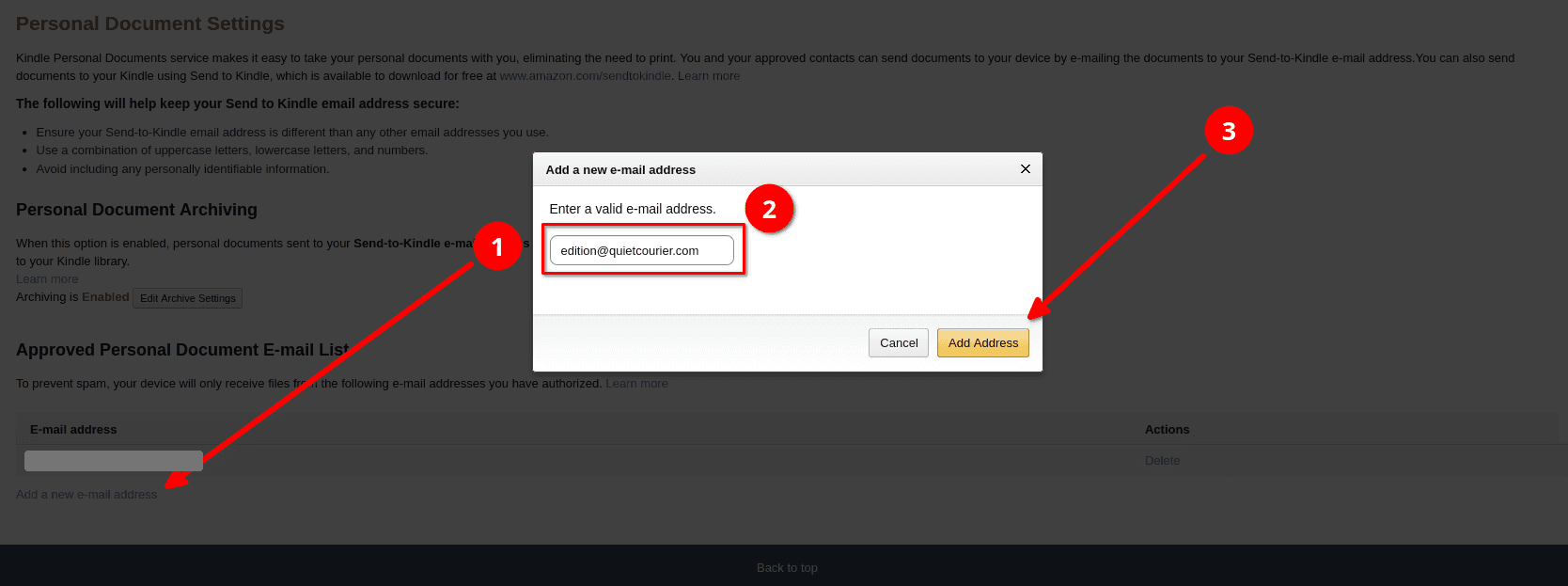
- On the same Personal Document Settings page, find Approved Personal Document E-mail List.
- Choose Add a new approved e-mail address and enter edition@quietcourier.com.
- Save. Amazon drops mail from any address that isn’t on this list, without telling either of us.
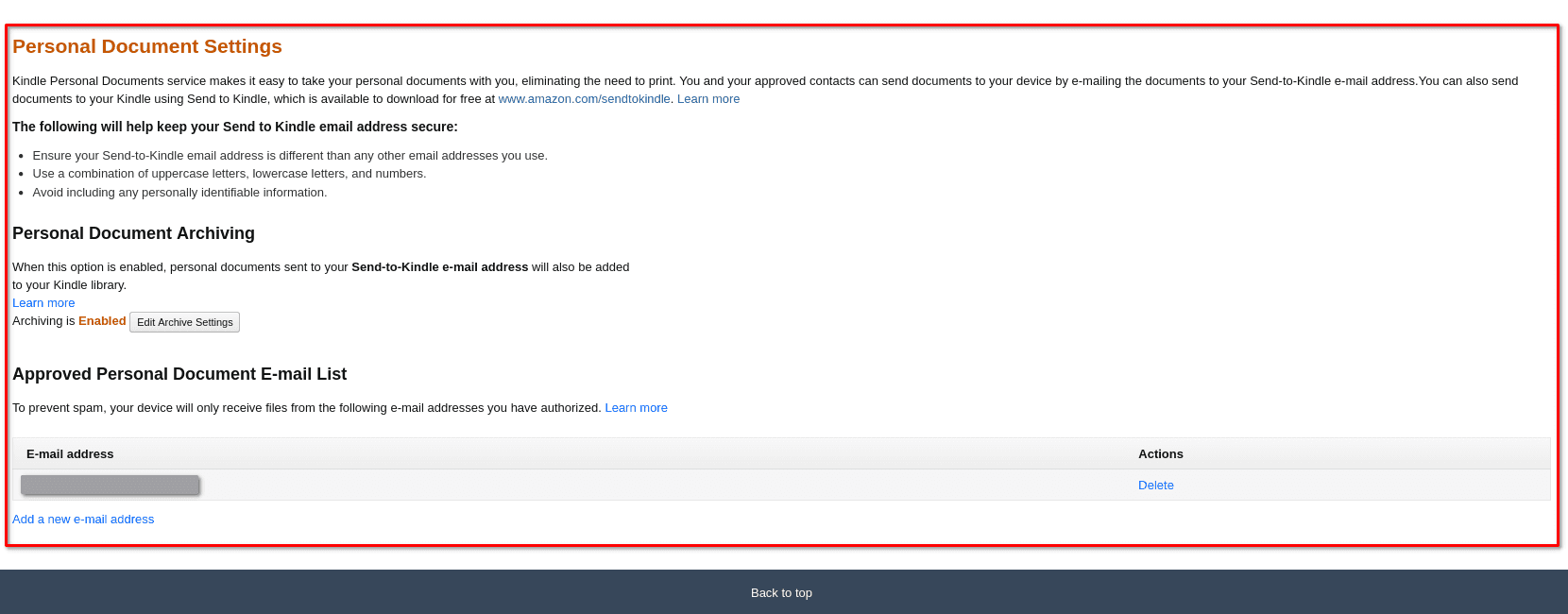
While you’re there, leave Personal Document Archiving on. Amazon then keeps each edition in your library, and you can read it on another Kindle or in the Kindle app.
3. Tell us where to send it
Sign in and paste the @kindle.com address into Deliver to.
4. Send a test edition
The test copy should reach your Kindle within about five minutes, as long as it’s connected to Wi-Fi. It shows up in your library under Documents.
The button appears here once you’re signed in and set up.
If nothing arrives
- Check that edition@quietcourier.com is on the approved list exactly as written.
- Check that the delivery address matches the one Amazon shows for that Kindle, not another device on your account.
- Turn on Wi-Fi on the Kindle and use Sync Your Kindle from the menu.
- Amazon sometimes emails the account owner when it rejects a document. Look for a message from Amazon about it.
Other readers
PocketBook
Use your @pbsync.com address from Send-to-PocketBook, and add edition@quietcourier.com to its approved senders the same way.
Boox
Install the Kindle app on the Boox, then use the Send to Kindle address Amazon gives that app.
Kobo and reMarkable
Neither accepts files by email, so the paper can’t be delivered to them yet. We’re working on it.